

Supported File Format
- CSV (.csv)
- UTF-8 encoded
- Must follow the Sonderplan CSV template structure
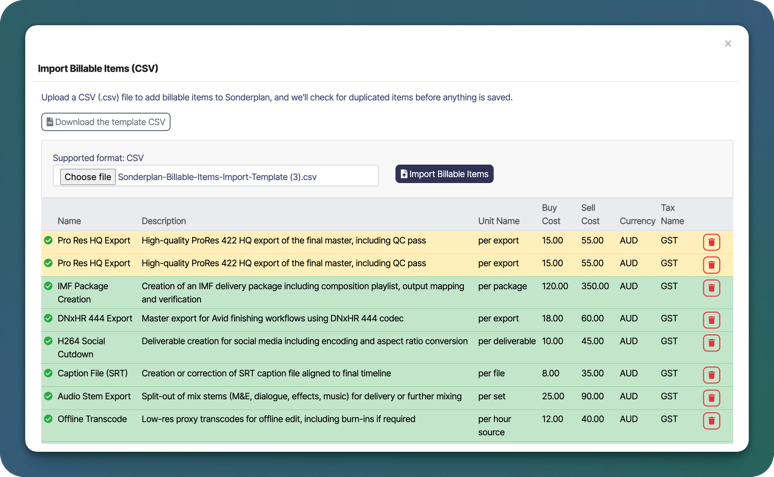
- Item name
- Description
- Unit name (e.g. per hour, per export, per package)
- Buy cost
- Sell cost
- Currency
- Tax name (e.g. GST, VAT)
Duplicate Detection
Before saving, Sonderplan checks for duplicated billable items to help prevent accidental duplicates. You can review all detected items before completing the import and remove individual rows if required.How to Import Billable Items
- Go to Sales -> Billable Items → -> Import
- Click Download the template CSV and populate it with your data
- Click Choose file and select your completed CSV file
- Review the imported items in the preview table
- Click Import Billable Items to save them to your workspace
Review Before Importing
Before finalising the import, Sonderplan provides a preview table where you can:- Confirm item names and descriptions
- Verify buy and sell costs
- Check currency and tax settings
- Remove individual items from the import